Step 6: invite your client and share the proposal
Only the people you add here can open the proposal.
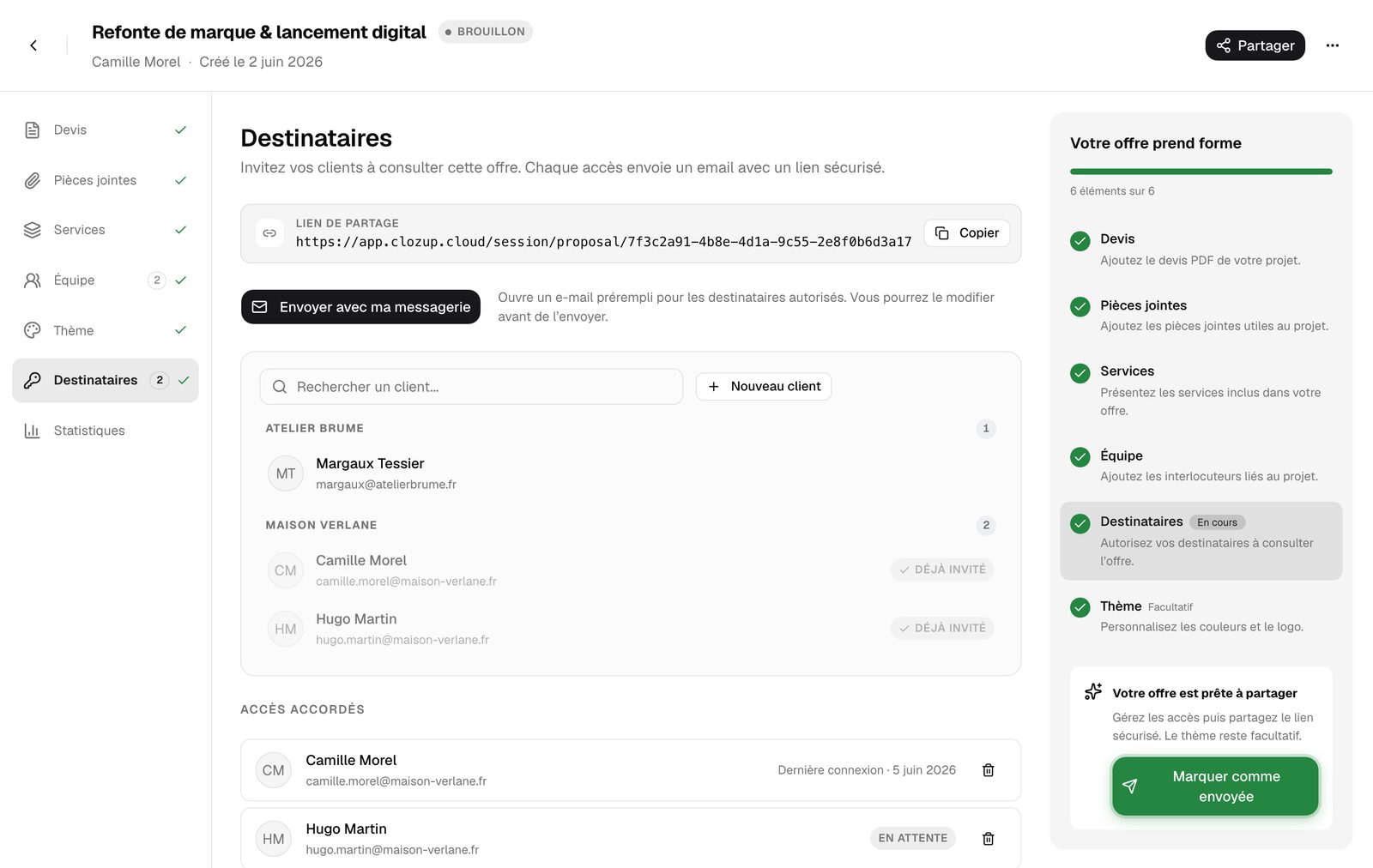
- 1Add a recipient
Search for an existing client and click "Invite". Not in your contacts yet? "New client" lets you choose or create their company, then enter their first name, last name, role and email.
- 2Send the link
"Send with my email app" opens a pre-filled email in your usual email app, addressed to the authorized recipients. Read it, personalize it, send it. You can also copy the share link and paste it anywhere.
- 3Mark the proposal as sent
Once the email is gone, click "Mark as sent" in the right-hand panel. The proposal switches to Sent and the date is saved.
The "Granted accesses" list shows each recipient's last sign-in, or "Pending" if they haven't opened the proposal yet. You can remove an access at any time with the bin icon.