How a proposal works in Clozup
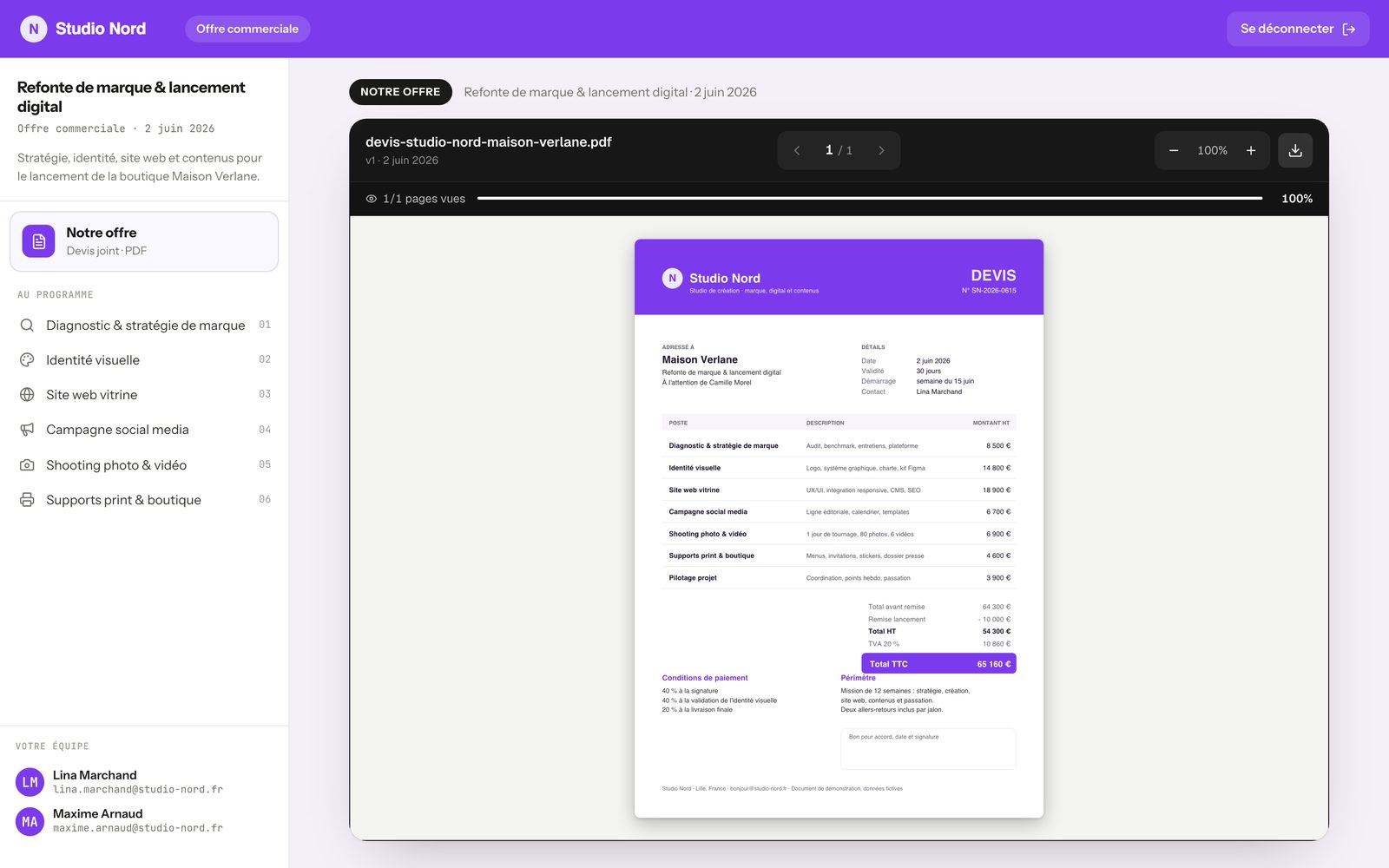
With Clozup, you no longer send a PDF as an attachment. You prepare a proposal, and your client opens it in an online space in your colors, where they find your quote and everything that goes with it.
A proposal brings together several elements you add step by step. Here's the vocabulary you'll find throughout the app.
- Proposal
- The file you prepare for a client: a title, a short description, then everything else. It's the proposal you share.
- Quote
- Your quote as a PDF. A proposal can hold several, for example a base package and an option.
- Annexes and attachments
- Documents linked to a quote: terms and conditions, schedule, plans, photos…
- Services
- The presentation pages you add to the proposal: your method, your services, your case studies. They come from your page library.
- Team
- The people at your company who will run the project. Your client sees them as their contacts.
- Recipients
- The people at your client's company who are allowed to open the proposal.
- Client space
- The online page your client views, with your logo and colors.