See how your quotes are viewed before following up.
After emailing a quote, it can be hard to know where your prospect stands. Share PDFs through Clozup to review visits and document consultation in the context of each proposal.
Activity tied to your proposal.
Analytics bring together visits to the client space and the PDF reader. Review a specific offer, then return to the overall view to find proposals your recipients have consulted.
- Who accessed the proposal and when.
- Time spent and quote pages viewed.
- Attachment consultation alongside the main quote.
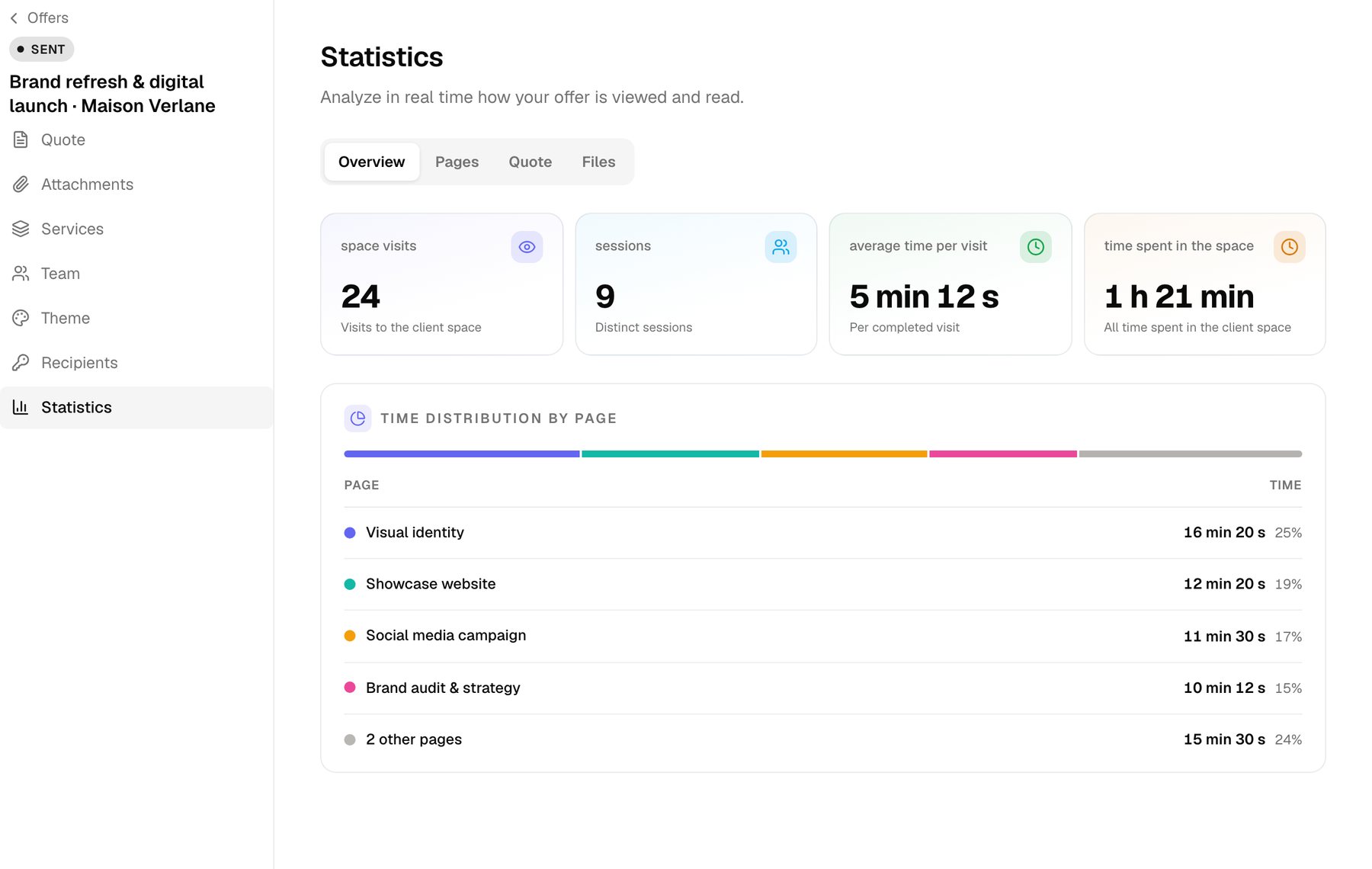
From sharing to your next call.
Add the quote to a client space
Import the PDF and its attachments, then authorise recipients. Analytics describe consultation inside Clozup; a separately emailed attachment does not provide this information.
Review proposal activity
Find visits, sessions and pages viewed. Read this information alongside the project scope and the conversations you have already had with the client.
Prepare your conversation
Identify details to clarify, such as an option, deliverable or timeline. The data provides context for a conversation without deciding the right time to call for you.
A consultancy prepares for a client call.
The consultancy has proposed a two-phase assignment. Before the next meeting, it reviews consultation of the quote and its attachments. It prepares an explanation of deliverables and options, then asks the client which areas need further discussion.
Before you get started
Does tracking work on a PDF attached to an email?
Analytics cover the client space and the Clozup reader. Share the proposal link to get this context instead of sending only a separate attachment.
Can I track quote attachments?
Yes. The PDF reader tracks consultation of pages in quotes and their attachments.
Should my client know about tracking?
Statistics are linked to recipients. Explain this behaviour to your clients; the Security page describes tracking and the respective responsibilities.